Competition

Junior CodeMaster Championship 2026

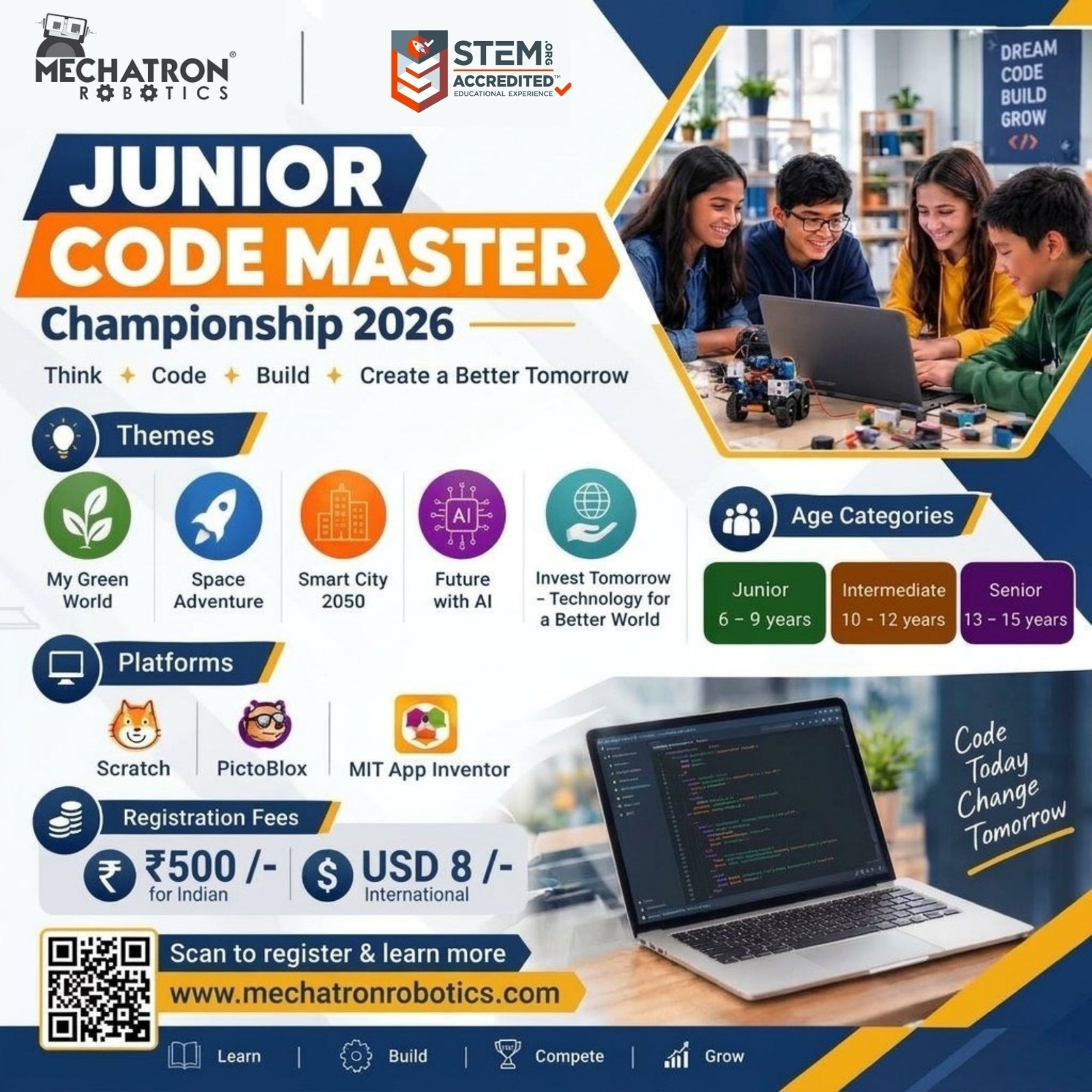
A coding championship for young creators aged 6–15. Pick a theme, build a project in Scratch, PictoBlox or MIT App Inventor, and present it to our judges.

Entry fee
INR 500
USD 8 for international participants
Age groups
6–15 years
Beginner · Intermediate · Advanced
Platforms
3 options
Scratch · PictoBlox · MIT App Inventor
Registration closes
8 November 2026
Opens 19 October 2026
Junior CodeMaster Championship 2026 poster with themes, platforms, age categories, registration fees and a QR code to register Scan the QR to register · tap to enlarge
How to participate

Seven steps from idea to award.

Register, build, submit — and if you're shortlisted, present your project live in the final round.

  1. 01
    Register
    Fill in the registration form and pay the entry fee of INR 500 (Indian participants) / USD 8 (international participants). You'll receive a WhatsApp group invite by email once registration is complete.
  2. 02
    Choose your track
    Select your age group, pick a project category and your preferred platform — Scratch, PictoBlox or MIT App Inventor.
  3. 03
    Build & record
    Build your project and record a video demonstration following the guidelines below.
  4. 04
    Submit
    Submit your project video before the deadline. The Google Form link is shared on the WhatsApp group or your registered email ID.
  5. 05
    Round 1 results
    5 finalists are shortlisted from each age category for the final round.
  6. 06
    Final round
    Shortlisted finalists present their project virtually using a PowerPoint presentation.
  7. 07
    Results
    Winners are announced and celebrated at the award ceremony.
Beginner
6–9 years
Intermediate
10–12 years
Advanced
13–15 years
Important dates

Mark your calendar.

  1. 19 October 2026
    Registration opens
  2. 8 November 2026
    Registration closes
  3. 29 November 2026
    Project submission deadline
  4. 6 December 2026
    Finalists announced
  5. 13 December 2026
    Final round
  6. 20 December 2026
    Award ceremony
Project categories

Five themes to build around.

The examples are for reference only — you're encouraged to bring your own idea and build your own project.

Theme 01

My Green World

  • Scratch Save the Forest Interactive story/game about preventing deforestation.
  • PictoBlox AI Eco Advisor Interactive AI assistant that answers questions about sustainable living.
  • MIT App Inventor Eco Habit Tracker Track daily eco-friendly habits and progress.

Theme 02

Space Adventure

  • Scratch Mission to Mars Navigate a spacecraft through obstacles and challenges.
  • PictoBlox AI Astronaut Assistant Interactive AI assistant helping astronauts solve space problems.
  • MIT App Inventor Astronaut Survival Planner App that helps astronauts plan food, water and resources.
Theme 03

Smart City 2050

  • Scratch Smart Traffic Challenge Game where players manage traffic flow.
  • PictoBlox Voice-Controlled Smart City Use voice commands to interact with and control a virtual city.
  • MIT App Inventor Smart City Dashboard Display simulated city information such as traffic, energy and waste.
Theme 04

Future with AI

  • Scratch Future Robot World Interactive story about humans and robots in the future.
  • PictoBlox AI Career Guide Interactive AI system that suggests careers based on interests.
  • MIT App Inventor AI Study Companion App designed to help students organise their learning.
Theme 05

Invent Tomorrow — Technology for a Better World

  • Scratch Future Problem Solver Game where players solve real-world challenges.
  • PictoBlox AI for Good Develop an AI-based solution to a social or environmental problem.
  • MIT App Inventor Disaster Support App Provide information and guidance during emergencies.
Rules & regulations

Play fair, submit on time.

General rules

  • Each participant must submit their project video as per the deadline.
  • Late submissions will be rejected and the entry disqualified.
  • Projects must be original and not copied from the internet. Originality is checked, and copied projects will be rejected.

Submission guidelines

  • Submit through the official Google Form — the link is shared in the WhatsApp group.
  • Video demonstration of 3–5 minutes maximum.
  • Record in landscape mode.
  • Name the file [ProjectName_Video].
  • File size must not exceed 100 MB.
Video demonstration

How to record your project.

Your video is how the judges see your work in Round 1 — make it clear, complete and easy to follow.

Recording

Two videos, merged into one
  • A camera video where you introduce yourself and give an overview of your project.
  • A screen recording demonstrating how your project works on its platform.
  • Merge both into a single video file and upload it via the submission form.
Scratch & PictoBlox
  • Use Loom, OBS Studio, Screencast-O-Matic or any other screen recorder.
  • Start recording, then open your project on the platform.
  • Walk through the features step by step, explaining how each works.
  • Stop recording and save in a suitable format (e.g. .mp4).
MIT App Inventor
  • Run the app on an Android emulator, or install it on your Android device.
  • Record the screen while the app runs, on the emulator or the device.
  • Use a recorder like OBS Studio to capture your screen while explaining the code.
  • Merge both videos.

Video requirements

Duration
  • Between 3 and 5 minutes long.
Audio & video quality
  • High resolution — minimum 720p.
  • Clear, audible narration explaining the project.
  • No background noise.

What to cover

01
Introduction
  • Introduce yourself and mention your project title and category.
02
Project objective
  • Explain what your project aims to achieve — e.g. teaching recycling through a game, or conserving energy through a simulation.
03
Features overview
  • Run through the most important features.
  • Highlight how the project is interactive.
04
Demonstration
  • Show gameplay and interactions for a game, or how users navigate an app.
  • Explain each part while the project runs.
05
Challenges & solutions
  • Mention difficulties you faced during development.
  • Explain how you solved them.
06
Conclusion
  • Summarise the key points.
  • Mention future improvements you plan to make.
  • Thank viewers and invite questions or feedback.

Tips for a great demo

Be clear and concise
Don't rush — explain each section of your project clearly.
Use visuals
Show your project in action as much as possible.
Keep it engaging
Keep the video tight while covering every essential part.
Practice
Run through your project a few times before recording.
Judging criteria

What the judges look for.

01
Creativity & Originality
  • Uniqueness of idea
  • Creative approach
  • Innovation
02
Theme & Problem Relevance
  • Relevance to theme
  • Problem understanding
  • Relevance of solution
03
Functionality & Features
  • Working of project
  • Key features
  • User interaction
04
Design & User Experience
  • Visual appeal
  • Ease of use
  • Interactivity
05
Project Explanation
  • Clear explanation
  • Project demonstration
  • Overall presentation
Prizes

Every creator is recognised.

Winner
Achievement Certificate and Trophy — in each age category.
Runner-up
Certificate — in each age category.
Every participant
Certificate of Participation.
Register

Ready to compete?

Registration is open from 19 October 2026 to 8 November 2026. Entry fee is INR 500 for Indian participants and USD 8 for international participants. Share your details and our team will help you complete your registration.

Championship registration

info@mechatronrobotics.com.

Book free trial
Buy a kit Become partner Talk to us